
-

-
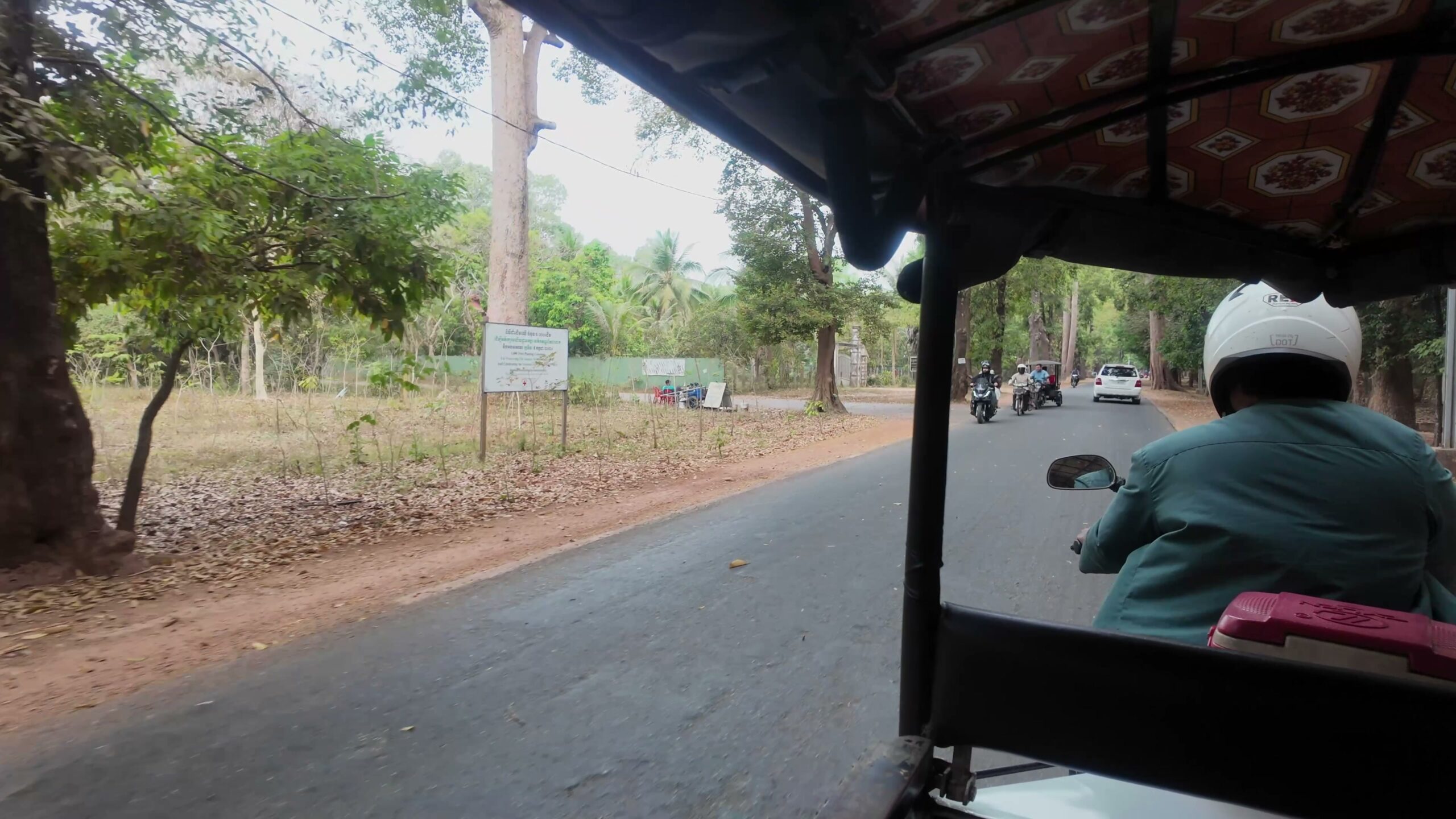
A Quiet Morning Walk in Siem Reap
2026/6/25 Cambodia Travel, Cinematic Travel, Decision Fatigue, Morning Walk, Quiet Travel, Siem Reap, Slow Travel, Southeast Asia Travel, Travel Planning, Travel Style, TravelPassport, Walking Tour
During a trip around Angkor Wat in Siem Reap, I realized the day felt lighter not because I visited more places, but because I started the morning better.A quiet morning made transport, payment, and route-change decisions easier before the heat and temple movement began. What made the trip tiring was not only the walking distance.“Where should I go next?” “Should I keep going?” “Should I return to the hotel?” Under the heat, small decisions like these added up more than expected. You can also watch the short video that matches the atmosphere of this article. https://youtu.be/_iBy4jpT-58 Why starting the morning ...
-
-
Why I Stopped Using Spreadsheets for Travel Planning
2026/5/15 Digital Travel Planning, Excel, Smart Travel, spreadsheet, Travel Context, travel information management, Travel Notes, Travel Organization, Travel Planning, Travel Style, Travel Tool, Travel Workflow, TravelPassport
A spreadsheet can make a trip feel organized before departure. What broke for me in Siem Reap was not the planning stage. It was the moment when arrival, hotel contact, transport, payment, and travel documents started overlapping. This article explains why I stopped relying on spreadsheets alone once I cared more about reducing decision fatigue during the trip itself. where arrival-day information starts to feel scattered why PDFs, tickets, maps, and notes work better in travel context why trip structure matters more than tidy rows https://youtu.be/X8cGsnk4Jgo The video looks calm on the surface. The article is about the hidden information ...
-

-
How to Plan an Angkor Wat Itinerary Without Rushing
2026/5/15 Angkor Wat, Cambodia Travel, Cinematic Travel, Decision Fatigue, Siem Reap, Slow Travel, Southeast Asia Travel, Temple guide, Travel Planning, Travel Style, TravelPassport, Walking Tour
Angkor is the kind of place where it always feels possible to add one more stop. But during the trip, the real cost was not only distance. Under the heat, every extra stop also meant one more decision about pace, order, and whether it was still worth continuing. This article is based on a real Siem Reap trip and explains why a lighter route often works better than a fuller one. where Angkor days start to feel mentally heavy why removable stops matter more than ambitious schedules why flexible order matters more than a perfect fixed plan https://youtu.be/sB17HHGXpGk The wider ...
-

-
A Realistic 3-Day Siem Reap Itinerary (Angkor Wat)
2026/5/13 3 day itinerary, Angkor itinerary, Angkor Wat, Beng Mealea, Big Circuit, Cambodia, Cambodia Travel, Siem Reap, Siem Reap itinerary, Small Circuit, Southeast Asia, Temple guide, TravelPassport, Tuk Tuk, World heritage
Planning Angkor Wat can get confusing fast. This itinerary is designed for first-time visitors who want to experience the essential temples of Angkor in a shorter stay. It focuses on sunrise at Angkor Wat, the Small Circuit, the Big Circuit, Phnom Bakheng sunset, and Beng Mealea — without trying to do everything. This is a 3-day sightseeing plan, with one extra departure day depending on your flight schedule. This itinerary is based on an actual trip, not an AI-generated sample route. You can follow this plan as-is, or import it into TravelPassport so you don’t have to think about what’s ...
-

-
A 4-Day Siem Reap Itinerary You Can Actually Follow (Angkor Wat + City)
2026/5/13 4 Day Itinerary, Angkor Wat, Cambodia Travel, Itinerary, Siem Reap, Southeast Asia, Temple Tour, Travel Guide
Planning Angkor Wat can get confusing fast. This 4-day itinerary cuts through the noise — so you can just follow it and enjoy the trip. It’s based on a real trip, including what worked, what didn’t, and how to move efficiently between temples and the city. You can follow this plan as-is, or import it into TravelPassport — so you don’t have to think about what’s next. Most itineraries look good on paper — this one is built to actually work on the ground. This itinerary is for: First-time visitors to Angkor Wat Travelers who want a balanced trip (temples ...
-

-
How to Add, Edit, Delete, and Copy Events in TravelPassport
2025/7/25 HowTo, Shibuya, Travel Tool, TravelPassport, Trip Tool, Usecase, ユーザーガイド, 旅行アプリ
Easily Manage Your Travel Plans with Flexibility With TravelPassport, you can easily add, edit, delete, and copy travel events to match your schedule.Whether it's sightseeing, meals, hotels, or transportation—everything can be managed in one place using the event feature! Even if your plans change or you want to duplicate a similar event, TravelPassport offers simple, flexible options to keep things organized. This guide will walk you through how to register, edit, delete, and copy events—and share practical tips to make the most of each function. How to Add a New Event イThere are two ways to register an event: From ...
-

-
How to Use the Event List in TravelPassport: A Complete Guide to Every Display Item
2025/7/28 HowTo, Travel Tool, TravelPassport, Trip Tool, Usecase, ユーザーガイド, 旅行アプリ
When you first open the "Events" screen in TravelPassport, you might feel overwhelmed by all the information. But in fact, this screen is packed with useful hints to make your travels smoother.In this article, we’ll walk you through every detail shown on the Event List so you can understand it clearly.Once you know how to navigate it, TravelPassport becomes a more fun and useful app to plan and manage your trips! Where is the Event Screen? Basic Access Guide After launching the TravelPassport app, tap on the trip tile from the Trip List to display its event details. There are ...
-

-
Basic Usage of the TravelPassport Notifications Screen
2025/7/24 HowTo, Travel Tool, TravelPassport, Trip Tool, Usecase, ユーザーガイド, 旅行アプリ
You can check various notifications in TravelPassport—such as reminders and announcements from the management team—all in one place on the Notifications screen.This page provides a simple guide on how to view the Notifications screen and use the “Mark as Read” button. How to Display the Notifications Screen Opening the Menu Slide out the menu bar from the left side in TravelPassport. Please refer to the following screen image for guidance. Displaying Notifications Tap the notifications icon to open the Notifications screen. If there are any unread notifications, a red number will appear at the top right of the icon. Tap ...
-

-
How to Share, Back Up, and Import Travel Data in TravelPassport: A Beginner’s Guide
2025/7/24 HowTo, Travel Tool, TravelPassport, Trip Tool, ユーザーガイド, 旅行アプリ
For those who want to efficiently manage their travel plans and records, sharing and backing up data is very important.With TravelPassport, you can easily export (share) your travel data with just one tap, or import data from other devices or users. For example, you can share travel data with colleagues or supervisors during business trips, or share it in advance with family members for family vacations. This makes checking itineraries and preparing for the trip smoother and more convenient.Additionally, since you can choose who to share each trip with, you can flexibly share data according to the purpose—whether it’s a ...
-

-
Even Beginners Can Feel at Ease! TravelPassport Guide to Adding, Editing, and Deleting Trips
2025/6/30 HowTo, Travel Tool, TravelPassport, Trip Tool, Usecase, ユーザーガイド, 旅行アプリ
For those who want to carefully manage their travel plans and memories,TravelPassport makes it easy to add new trips, modify existing trip details, or delete trips you no longer need.This page explains the basic steps and important points for adding, editing, and deleting trips, using actual screenshots for clarity.Whether you're just starting with TravelPassport or are already using it, we hope you find this guide helpful. Adding, Editing, and Deleting Trips Adding a Trip Tap the "+" button to add a new trip. Editing or Deleting a Trip To edit or delete a trip, tap the trip menu to display ...